
Comparing future tax and retirement scenarios with just a basic capital gains tax calculator misses essential details. Most calculators overlook superannuation, property growth, user-specific tax modeling, or lack multi-strategy visualizations and stress tests. You can choose the retirement planning software that matches your needs for scenario modeling, tax logic, and side-by-side comparison.
Table of Contents
- AeroWealth
- Smart Planner by Prospera
- Optimo Pathfinder
- Plutosoft
- AheadFin Tax Bracket Optimizer
- Comparison of alternatives
AeroWealth

At a Glance
AeroWealth's marketing materials state planning success rates of up to 94%. Beyond a basic capital gains tax calculator, the product models superannuation, property, ETFs, and mortgages under Australian tax rules. It presents side-by-side scenarios and stress tests with plain English explanations that make tradeoffs visible quickly.
Core Features
AeroWealth bundles detailed asset and liability modelling with Australian-specific tax, super, and legislative logic, so your assumptions reflect local rules. The platform supports multi-strategy overlays and scenario comparison while applying configurable stress tests to market returns and property growth. An AI-driven explanation engine and monthly trajectory tracker called Flight Path turn model outputs into readable guidance.
Key Differentiator
Tailored specifically for Australian retirement and tax rules, AeroWealth applies those rules to each scenario instead of using generic inputs. Its side-by-side scenario overlay lets you compare retirement age, income, and net worth across alternative assumptions. Stress-testing shows how shocks to markets or property values change projected outcomes.
Pros
AeroWealth provides detailed, Australian-specific retirement and wealth projections that work across super, property, ETFs, and mortgages. The interface lets you compare multiple strategies side-by-side and run stress tests to see downside outcomes. Basic features require no sign-up, and the platform adopts a privacy-first stance while explaining scenarios in straightforward language.
Cons
- Projections depend heavily on user input accuracy, so results can mislead if assumptions are incorrect.
Who It's For
You should consider AeroWealth if you are an Australian individual planning retirement or seeking financial independence and want tax-aware modelling. Property investors benefit when testing different mortgage or growth assumptions across several holdings. Financial planners can use the tool to show clients alternate strategies without building spreadsheets.
Unique Value Proposition
The combination of local tax modelling and side-by-side scenario overlays shortens analysis time for advisers and individuals. Running multiple scenarios and stress tests in one view lets you compare outcomes in the same meeting. Flight Path monthly tracking turns scenario snapshots into a continuous trajectory you can review with clients.
Real World Use Case
A professional retirement planner uses AeroWealth to model and compare super and investment strategies for a client nearing retirement. The planner loads current super balances, a property with mortgage details, and expected ETF savings rates, then runs stress tests on market returns. The client sees how different withdrawal ages and mortgage decisions affect retirement income and net worth.
Pricing
AeroWealth offers Free and Pro plans. The Free tier lets you model one property and one mortgage and includes a limited number of scenario questions each month. The Pro plan expands capacity to up to 10 scenarios and includes advanced mortgage strategies and additional modelling options.
Website: https://aerowealth.net
Smart Planner by Prospera

At a Glance
Free current state modelling is available, and the paid scenario tool costs $165 per year with the first year free using code First50. The app gathers assets, liabilities, income, and expenses to build a clear financial profile. It then projects future positions and displays scenario comparisons visually for straightforward side-by-side review.
Core Features
Smart Planner collects household financial data and turns it into future projections with and without specific choices. The What-If engine lets you test retirement age, savings rate, and one-off expenses to see their impact. Graphs and a comparison view help you contrast strategies rather than wade through spreadsheets.
Key Differentiator
The most distinct element is the free entry-level modelling. That allows Australians to map their current finances without providing an email or card. Paying users unlock scenario testing while retaining the same simple interface for comparison work.
Pros
The interface makes it easy to build a basic financial profile from common inputs like property, mortgage, and salary. Free current state modelling and a trial of the scenario tool lower the barrier for people who want a quick reality check before paying. No email or credit card is required to try the basic model, which accelerates first use and preserves privacy for casual planners.
Cons
-
Limited advanced features and custom calculations compared with professional financial planning software, which restricts complex tax or trust modelling.
-
Several site pages, such as features and integrations, lack detailed information or are not accessible, which makes feature validation harder.
-
Pricing details for some add-ons are not fully disclosed, so total cost for extended use can be unclear.
When It May Not Fit
If you need detailed tax treatment, trust modelling, or adviser-grade reports, this tool will feel narrow. Practices that rely on automated integrations or data feeds will miss connector support. Users who require certified compliance or audit-ready documentation should look to specialist planners instead.
Who It's For
Australian individuals who want a low-cost, self-guided way to test life choices will find this a good fit. It suits people who prefer a quick, visual estimate of retirement timing or the effect of a large expense. It also works for those who want to try scenario modelling before committing to paid planning services.
Real World Use Case
A homeowner enters their current mortgage, rental income, super balance, and annual expenses. They run the scenario tool to see how saving an extra $200 per week changes retirement age and super balance. They also test a home extension as a one-off cost to see how that expense shifts projected cashflow.
Pricing
The base current state modeller is free to use. Scenario testing costs $165 per year, with the vendor offering the first year free using discount code First50.
Website: https://prospera.com.au
Optimo Pathfinder
At a Glance
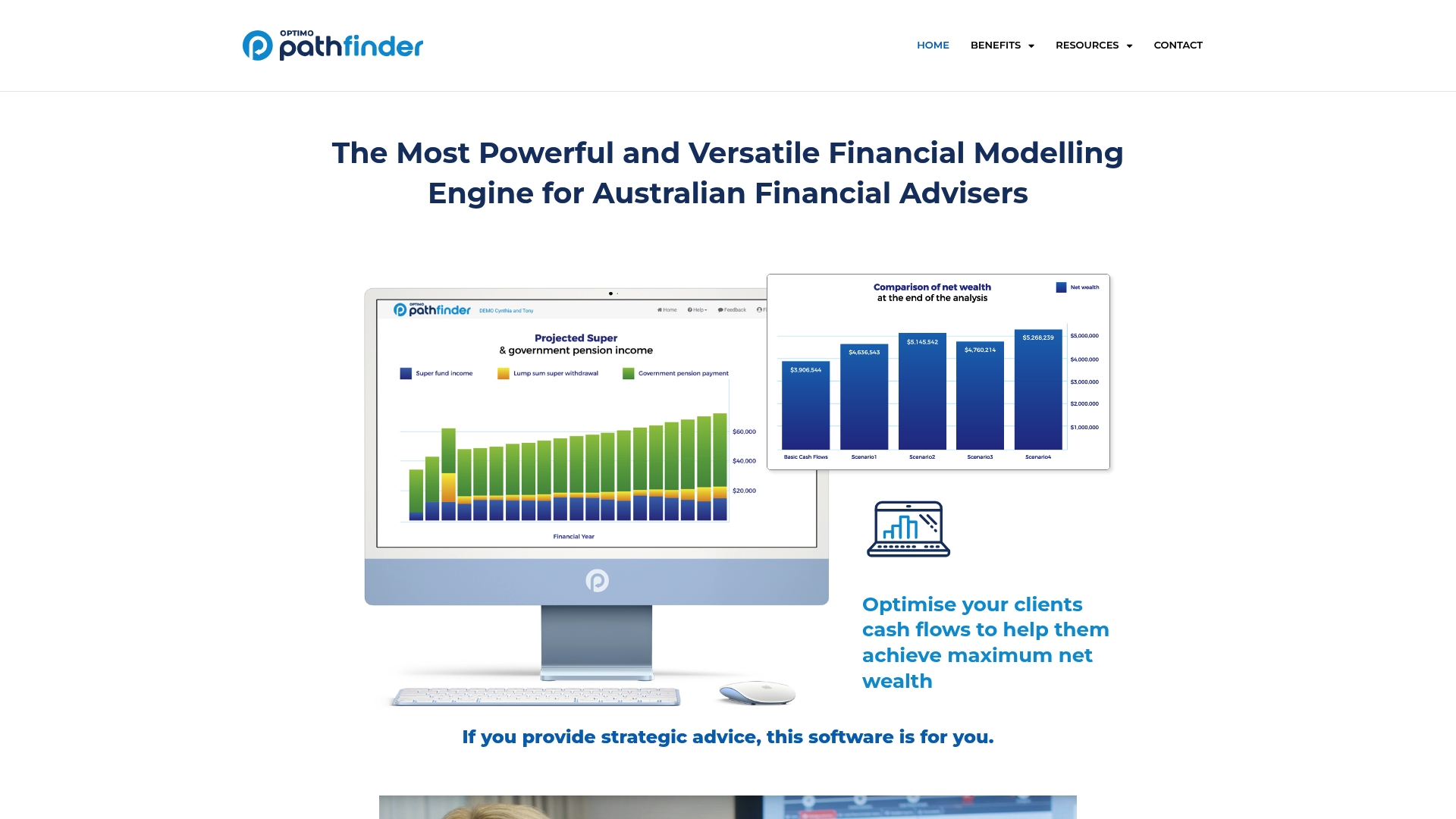
Optimo Pathfinder's marketing materials state the optimisation engine runs millions of calculations to identify strategy trade offs. That processing lets advisers test thousands of scenario permutations inside one model. The product focuses on Australian financial advisers who need detailed client reports and long horizon modelling.
Core Features
The interface supports year by year inputs and goal setting while letting advisers build full balance sheet and cash flow projections. It pairs those inputs with an optimisation engine that tests many policy combinations and outputs results in plain English and Word format for client documents. Models can project assets, liabilities, superannuation, retirement events, and cash flow up to 20 years.
Key Differentiator
The vendor advertises Optimo Pathfinder as the only Australian product that combines extensive modelling with an integrated optimisation module tailored for advisers. That single module removes the need to export scenarios between separate engines and spreadsheets. For firms focused on strategy testing, that reduces manual rework and keeps presentation output consistent.
Pros
Optimo Pathfinder's marketing materials claim it saves advisers time and improves recommendation accuracy, which explains its focus on scenario comparison and templated reporting. The interface reads as approachable and lets advisers make year by year changes without rebuilding the whole model. The optimisation engine produces concrete candidate strategies that advisers can compare side by side. Client-ready exports and plain English summaries speed up client meetings and report delivery.
Cons
- Steep learning curve for advisers who rely on spreadsheets. New users will need training to use the optimisation controls effectively.
- Pricing is not publicly listed. The sales model appears to favor enterprise or subscription arrangements and likely custom quotes.
- Integrations are described generically as APIs. Buyers wanting ready-made connectors to specific practice management systems may face extra work.
Notable Integrations
The product lists APIs for integrations rather than named connectors. That lets firms build custom connections to their CRM or client portal, but it requires development resources. No prebuilt bookkeeping or practice management links are named.
Who It's For
Optimo Pathfinder suits Australian financial advisers and planners who run scenario heavy strategy work and prepare formal client reports. Advisory teams that produce tailored retirement, superannuation, and wealth transfer plans will get the most value. Small advisers without development support may find the integration model less convenient.
Real World Use Case
A financial adviser models a client household with multiple properties, super balances, and income streams. Pathfinder runs optimisation to show tax and cash flow outcomes for alternate retirement ages and asset allocations. The adviser exports a Word report with side by side scenarios and plain English summaries for the next client meeting.
Pricing
Pricing is not specified publicly. The vendor describes arrangements consistent with enterprise or subscription licensing and likely offers custom quotes for practices.
Website: https://optimofinancial.com.au
Plutosoft
At a Glance
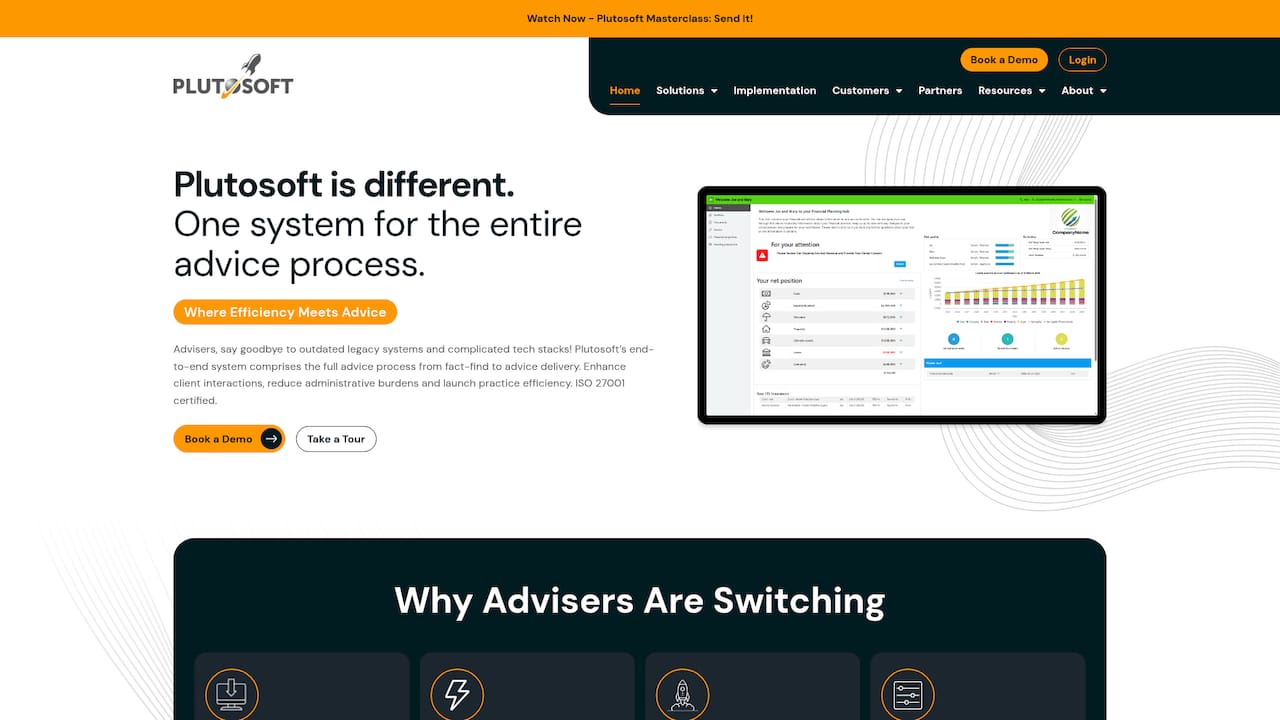
Plutosoft's marketing materials state it is ISO 27001 certified, a notable claim for advisers handling sensitive client records. The platform combines client relationship management, workflow, modelling, and document generation in a single product. Plutosoft targets Australian financial practices that want fewer systems and clearer control over advice production.
Core Features
Plutosoft delivers a complete CRM and advice production environment that ties client management to workflow and modelling tools in one place. The platform generates advice documents from client data, includes an integrated client portal for real time sharing, and offers interactive cash flow and scenario modelling. Customizable templates and workflows support compliance and let practices shape the platform to their internal processes.
Key Differentiator
Plutosoft stands out as an all in one advice platform that removes duplicate data entry by unifying CRM, modelling, and document creation. That single record concept reduces rekeying and keeps client files consistent across advice workflows. The guided onboarding and ongoing support aim to make the transition easier for practices switching from multiple disconnected tools.
Pros
Plutosoft reports an NPS score of 43.4, which the vendor highlights as a strong satisfaction signal among CRM software users. The platform shortens the advice cycle by automating document generation and embedding client communication inside the same system. Flexible customization lets practice managers tailor templates and workflows while the vendor provides migration services and structured onboarding to lower implementation risk.
Cons
- Some advisers find the customization process time consuming at first. Setup can require focused staff time before the platform runs at peak efficiency.
- The modelling toolset is less extensive than some legacy systems like Xplan, so highly technical modelling may still need a specialist product.
- Full mastery of the platform requires training and adaptation, despite the vendor's onboarding and support offerings.
When It May Not Fit
Practices that rely on very advanced modelling and bespoke scenario engines may find Plutosoft limiting for complex cases. Large dealer groups with established legacy workflows tied to other modelling tools might face migration friction. Firms that cannot allocate time for initial customization and staff training should budget for implementation effort before expecting productivity gains.
Notable Integrations
- AUSIEX
- Netwealth
- Praemium
- Hub 24
- Insignia Financial
- Mason Stevens
- Sentinel
- CFS (Colonial First State)
Who It's For
Plutosoft suits Australian financial advisers and small to mid sized practices seeking a unified advice production system. It fits teams that want to reduce admin across client onboarding, modelling, and document delivery. Practice managers who need customizable templates and a single audit trail will find the platform aligned with compliance needs.
Real World Use Case
A mid sized advisory firm moved from a legacy system to Plutosoft to cut advice turnaround times from weeks to days. The firm used the migration service to port client records, then applied custom templates to standardize recommendations. The integrated portal improved client response and made compliance checks quicker.
Pricing
Pricing is not applicable. The vendor lists pricing as informational only rather than publishing standard tiers, so practices must request a quote during the sales process.
Website: https://plutosoft.com.au
AheadFin Tax Bracket Optimizer
At a Glance
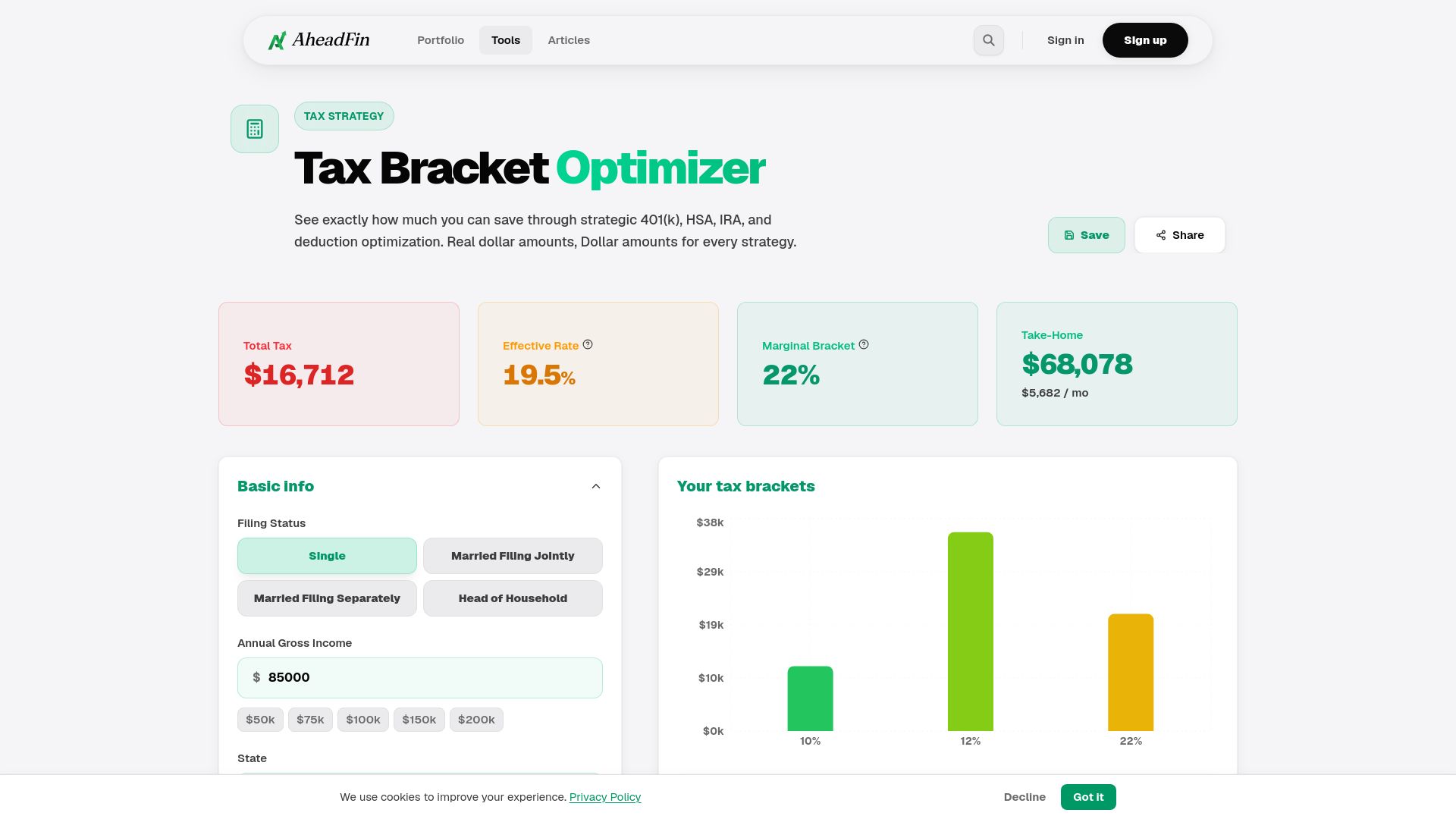
Supports federal tax planning using 2025 IRS brackets to show the dollar impact of common strategies. The tool converts inputs into concrete dollar savings for moves like extra retirement contributions or Roth conversions. A paid PRO tier adds multi-year projections and state comparisons for deeper planning.
Core Features
AheadFin turns income, deductions, and contribution choices into dollar estimates that show how specific moves affect your tax bill. It offers side by side scenario comparison and export options so you can save and review alternate plans. The PRO subscription unlocks multi-year projections and state by state comparisons to test longer term outcomes.
Key Differentiator
The product focuses on showing real dollar tax savings estimates rather than just percentage changes. That focus helps you judge which strategy produces the clearest cash outcome, such as how much tax you reduce by maxing a 401(k) versus doing a Roth conversion. This direct money framing sets it apart from calculators that only show bracket cutoffs.
Pros
The interface makes trade offs tangible by translating strategies into dollar outcomes. It offers specific recommendations for retirement contributions and analyses for Roth versus Traditional moves, charitable bunching, and IRA conversions. Scenario comparison and export features make it practical to share results with a tax adviser or to store alternate plans for later review.
Cons
- Advanced analysis requires the PRO subscription, so deeper multi-year testing is behind a paywall.
- Results are estimates based on the inputs and may not match actual tax filings.
- The tool is limited to the US tax system and specifically to 2025 federal brackets.
When It May Not Fit
You should avoid AheadFin if you need a calculator that produces official tax filings or automated tax returns. It depends on accurate manual inputs, so users who cannot supply reliable income or deduction figures will see poor results. Also, the US-only scope makes it a poor choice for people whose liabilities are solely under Australian tax law.
Who It's For
Individual taxpayers who want to see clear dollar trade offs from retirement contributions, conversions, and donation timing will benefit most. It also suits Australians with US tax obligations or US investment income who need to model US federal outcomes. People seeking formal preparer outputs or Australian tax advice should look elsewhere.
Real World Use Case
A filer enters salary, current pre tax retirement contributions, and deductible item amounts to compare three scenarios. The tool shows how maxing a 401(k) reduces taxable income and estimates the tax saved in dollars. It also compares doing a Roth conversion this year versus spreading conversions over several years using PRO projections.
Pricing
Basic calculations are available for free. PRO costs $9.99/mo and unlocks multi-year projections, state comparisons, and scenario saving for repeated analysis.
Website: https://aheadfin.com/tax-bracket-optimizer
Comparison of alternatives
AeroWealth excels in delivering financial modeling, uniquely integrating Australian-specific tax and retirement rules into its projections. This analysis explores how it performs against the competitors in key dimensions such as affordability, optimization, and integration.
Flexibility for Individual Planning
Smart Planner by Prospera proves advantageous for casual planners seeking quick self-guided financial estimates. Its free-to-use current state modeling tool allows individuals to explore basic scenarios without initial cost or commitment. This approach appeals to those wanting to test financial decisions without incurring upfront fees. However, its limitation lies in simpler modeling capabilities compared to AeroWealth's intricate scenario overlays.
Strategy Optimization and Professional Reports
Optimo Pathfinder emerges as an excellent choice for professional financial advisers prioritizing detailed strategy optimization. With capabilities to test thousands of permutations and produce client-ready reports, it replaces manual integrations across various tools. Nonetheless, AeroWealth's intuitive AI-driven interface and plain English explanations make it more accessible for individual planners without advanced advisory expertise.
Best fit
- analysis is for Australians planning retirement, especially when navigating tax regulations alongside diverse investment possibilities, making AeroWealth the preferred option.
- Affordable self-guidance for lightly detailed financial scenarios aligns well with Smart Planner by Prospera's feature set.
- Strategy-heavy planning teams seeking optimization modules will find Optimo Pathfinder indispensable due to its high computational power.
- Advisory firms aiming to consolidate workflows should evaluate Plutosoft for its unified CRM and advice production capabilities.
Our pick
AeroWealth stands out for Australians focusing on locally compliant, multifaceted financial modeling. Its ability to apply Australian regulations to diverse scenarios and integrate stress-testing mechanisms makes it an tool for those seeking detailed guidance in retirement planning. AeroWealth may not be ideal for teams needing extensive optimization across complex permutations, for which Optimo Pathfinder offers the most powerful alternative.
Consider comparing the following retirement planning software platforms based on their strengths, features, and suitability for specific use cases to determine which aligns best with your needs.
| Product | Key Differentiator | Best For | Pricing | Notable Limitation |
|---|---|---|---|---|
| AeroWealth | Australian tax-specific modeling with stress tests | Australian individuals and planners | Free, Pro (pricing tier) | Results depend on accuracy of input data |
| Smart Planner | Free entry-level financial modeler | Casual planners preferring easy, quick insights | Free, $165 annually | Limited advanced features and custom calculations |
| Optimo Pathfinder | Extensive financial modeling with optimization engine | Financial advisers needing detailed client reports | Price not published | Steep learning curve for users accustomed to spreadsheets |
| Plutosoft | Unified CRM and modeling in a single platform | Mid-sized advisory practices | Price not published | Initial customization and training requirements |
| AheadFin Tax Bracket Optimizer | Dollar-specific tax savings estimates | Individual U.S. taxpayers | Free, $9.99/month Pro | Focused solely on U.S. federal tax system for the year 2025. |
Why Do Capital Gains Tax Calculators Often Fall Short for Retirement Planning?
Many Australians face uncertainty when estimating the impact of capital gains tax on their retirement strategy. Basic calculators overlook the full picture, missing how superannuation, property investments, and mortgages interact under local tax rules. This gap creates confusion about how different financial decisions will shape income, net worth, and retirement age.
Aerowealth handles these complexities by offering clear projections tailored for Australian users. It lets you run side-by-side comparisons of multiple scenarios and stress tests, turning complicated tax and market factors into easy-to-understand insights. You can see how each assumption changes your financial future without wrestling with spreadsheets.

If you want to evaluate retirement plans that include capital gains tax effects with clarity and confidence, visit Aerowealth. Model your super balances, property holdings, and mortgages for up to 10 scenarios to understand your options. Start with a free plan and move to Pro for advanced mortgage strategies and deeper scenario questions.
FAQ
What is a key feature of Aerowealth that benefits retirement planning?
Aerowealth offers detailed asset and liability modelling tailored to Australian tax rules. This feature allows users to see how their specific assumptions affect their retirement projections. You can quickly assess various scenarios and make informed decisions about your financial future.
How does Smart Planner compare to Aerowealth for financial planning?
Smart Planner is distinct because it allows free current state modelling, enabling users to build a financial profile without a commitment. Aerowealth, meanwhile, excels with its comprehensive legislative logic tailored for Australian retirement, making it a better choice for those focused on detailed scenario analysis.
What can users expect from Aerowealth's pricing tiers?
Aerowealth offers a Free tier for basic features and a Pro plan for expanded capacity and advanced options. This tiered pricing allows users to choose a plan that aligns with their specific retirement modelling needs.
Can property investors benefit from using Aerowealth?
Yes, property investors can significantly benefit from Aerowealth, as it allows them to test various mortgage or growth assumptions across multiple holdings. This flexibility supports making strategic decisions about property investments based on tailored models.
How does the Flight Path feature enhance user experience with Aerowealth?
The Flight Path feature tracks monthly financial trajectories, turning model outputs into easy-to-understand guidance. This function helps users maintain a continuous review of their financial scenarios, improving their overall financial planning process.